E-Commerce Platforms
Shopify Product Photo Editing Service for Online Stores
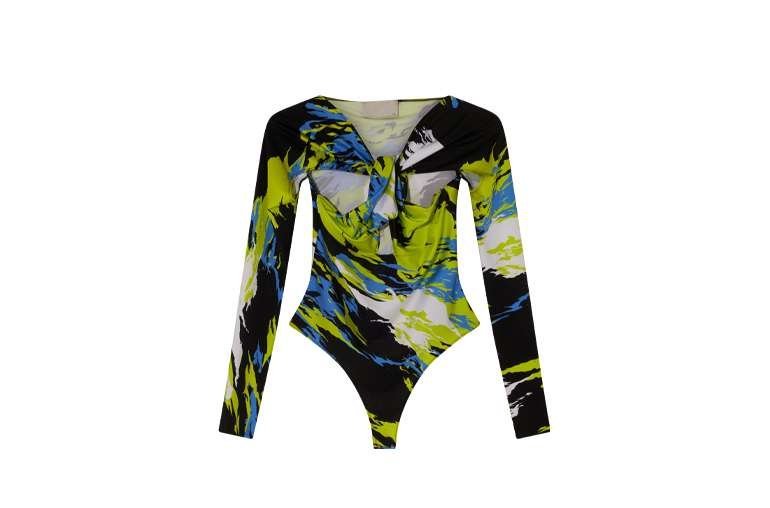
A Shopify product photo editing service prepares your product images so they look consistent, professional, and fast-loading across your store. It covers background removal, color correction, retouching, ghost mannequin work for apparel, and resizing to store specs. Shoppers notice inconsistent or rough photos before they read a single word of your description, and that first impression shapes trust.
Why product photo quality affects Shopify store performance
On your own store, photos do the work of a salesperson. Consistent backgrounds, true colors, and sharp detail help shoppers compare products and feel confident buying. Poor photos create doubt, increase questions, and raise return rates when the delivered product looks different from the listing.
Shopify image requirements you should know
Use large, square images so shoppers can zoom and see detail. Keep backgrounds consistent across the catalog, usually clean white or a fixed brand background. Use JPEG for photos and PNG only when transparency is needed. Check the current Shopify guidance for your theme, since themes crop images differently and a wrong ratio can cut off part of a product.
Image compression and page load speed
Large uncompressed images slow pages down, and slow pages lose shoppers. Compress each image enough to keep load times fast without visible quality loss. Test the store on a phone as well as a desktop, since many shoppers buy on mobile and small screens expose soft or noisy images quickly.
Types of product photo editing services
Background removal and replacement creates the clean base. Color correction and white balance make colors true across all views. Retouching removes dust, blemishes, and small flaws. Ghost mannequin editing shows apparel shape without a model. Shadow creation grounds products so they do not look pasted onto the page.
DIY editing vs. hiring a professional service
DIY suits small stores with simple products and time to learn. Professional help suits stores with growing catalogs, complex products such as jewelry or apparel, or a need for strict consistency. Compare on a test batch from your own products, and judge color, edges, backgrounds, and file delivery, not just one hero image.
How to choose the right photo editing service for your Shopify store
Look for samples in your product category, a clear revision process, and delivery in the sizes and formats your theme needs. Ask how consistency is kept across batches and how feedback is handled. A short style guide with reference images prevents most misunderstandings.
Common mistakes store owners make with product photos
Common mistakes include mixed backgrounds across a catalog, colors that differ between views of the same product, only one angle for a product that needs several, and heavy compression that makes detail look soft. Another is skipping mobile checks, where cropping and small text behave differently.
Practical tips before sending photos for editing
Shoot with even lighting and a clean background, keep the product sharp and centered, and send your theme specs and a reference listing. Name files clearly by product and view, so the finished images slot straight into your store.