Your clothing photos are probably costing you sales. Not because the clothes look bad, but because the photos make them look slightly off, slightly wrong, slightly not worth the price you’re asking. Customers notice that gap, even when they can’t name it.
This isn’t about filters or making things “pop.” It’s about closing the distance between what a customer expects and what arrives at their door.
What Professional Clothing Photo Editing Actually Involves
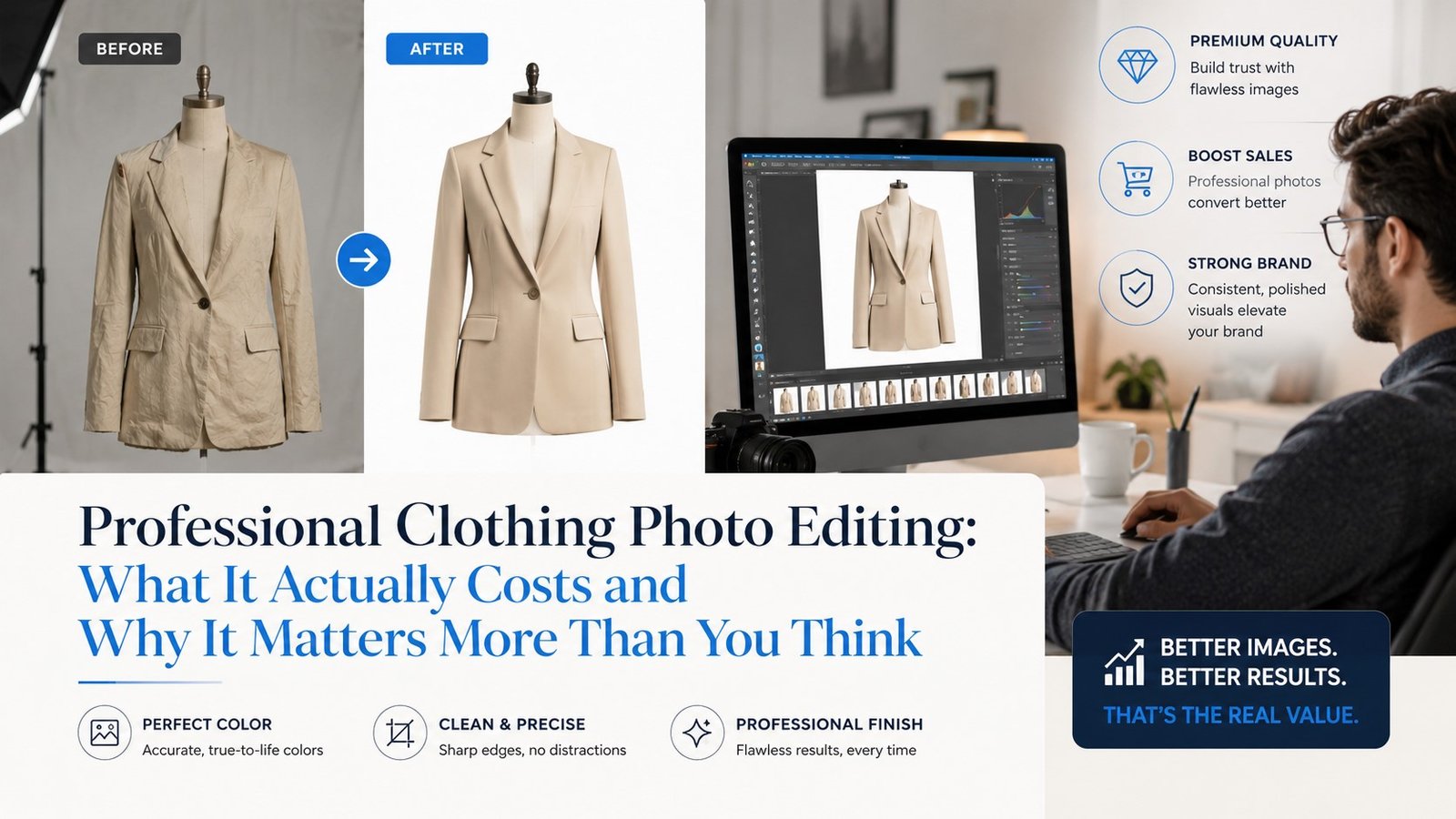
Strip away the jargon and the service does three things: it removes distractions, corrects what the camera got wrong, and presents the garment the way it actually looks in person.
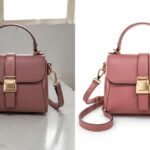
That usually means background removal, so the product sits cleanly on white or transparent space. It means color correction, so a navy sweater doesn’t look slate gray under studio lights. And for a lot of apparel brands, it means the ghost mannequin effect, which we’ll get into next.
The technical name for the background isolation step is the clipping path technique. It’s not glamorous, but it’s the backbone of clean product photography. Apparel photo retouching builds on top of that foundation: smoothing wrinkles that don’t reflect the garment’s actual drape, removing lint, fixing seams that caught bad light.
None of this is decoration. It’s correction.
Ghost Mannequin Editing Explained
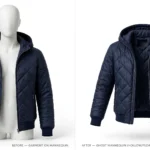
Ghost mannequin editing creates the illusion of a garment being worn, with no visible body or mannequin in the final image. It combines multiple photos, typically the garment shot on a mannequin and a separate interior shot, into one seamless composite.
The result looks three-dimensional. A shirt has shape. A jacket has structure. Customers see how the garment will actually sit, instead of staring at a flat lay that tells them almost nothing about fit.
This is the single most requested technique in ecommerce clothing photography, and also the most misunderstood. People assume it’s just “removing the mannequin” in Photoshop. It’s closer to digital tailoring: aligning interior and exterior shots, matching shadows, and preserving the natural fold of fabric so nothing looks stiff or pasted together.
Done badly, ghost mannequin editing looks uncanny. Done well, it’s invisible. The customer just sees a shirt that looks like a shirt.
The Editing Workflow, From Raw Photo to Final Listing
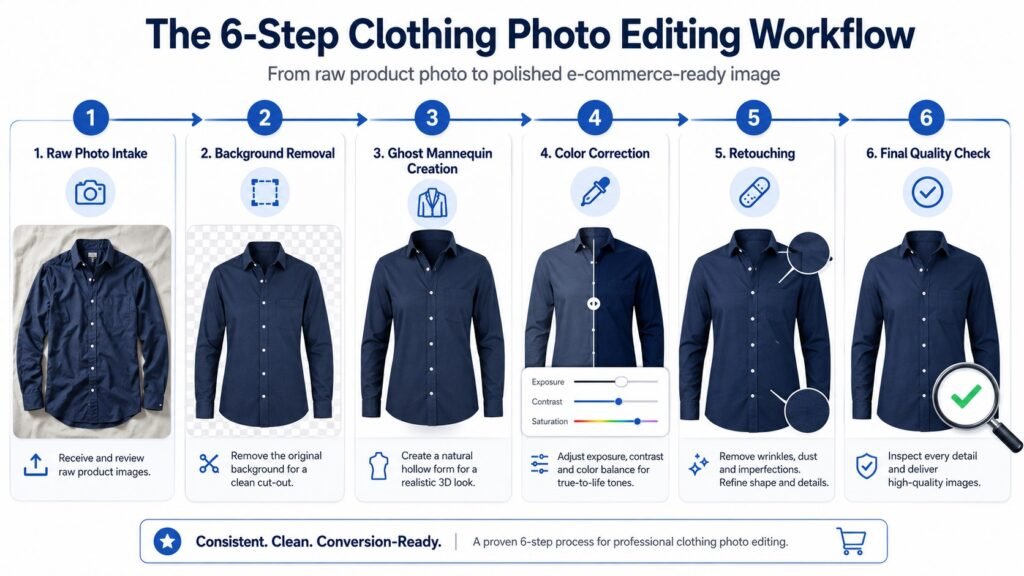
Most people picture photo editing as one step. It’s actually six, and skipping any of them shows up in the final image.
Here’s the sequence most professional services follow:
- Raw photo intake. Images get sorted, renamed, and checked for usable angles and lighting.
- Background removal. The clipping path technique isolates the garment from its backdrop.
- Ghost mannequin creation. Interior and exterior shots get merged for that worn, three-dimensional look.
- Color correction. The garment’s actual color gets matched against a reference, often a Pantone swatch.
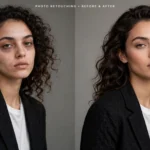
- Retouching. Wrinkles, lint, and minor imperfections get cleaned up without erasing texture.
- Quality check. A second set of eyes reviews the image against the platform’s technical specs.
For a 50-item catalog, this entire pipeline often runs through bulk image processing software that applies consistent settings across the batch. That’s how you get visual consistency across hundreds of listings instead of each photo looking like it came from a different photographer.
Platform-Specific Requirements
Amazon, Shopify, and Etsy each have their own rules, and ignoring them gets your listings flagged, suppressed, or rejected outright.
| Platform | Background Requirement | Minimum Resolution | Notes |
|---|---|---|---|
| Amazon Seller Central | Pure white (RGB 255,255,255) for main image | 1000 x 1000 px | Lifestyle shots allowed only as secondary images |
| Shopify | No strict requirement, but white/neutral recommended | 2048 x 2048 px recommended | Platform allows full creative control |
| Etsy | No strict requirement | 2000 px on shortest side | Lifestyle and styled shots often outperform plain backgrounds |
Amazon is the strictest of the three. A main image with a slightly off-white background, or one with a visible shadow, can get a listing suppressed without much warning. Shopify and Etsy give more room for brand personality, but consistency still matters if you’re running a catalog with dozens of SKUs.
DIY vs Freelancer vs Professional Service, What’s the Real Cost?
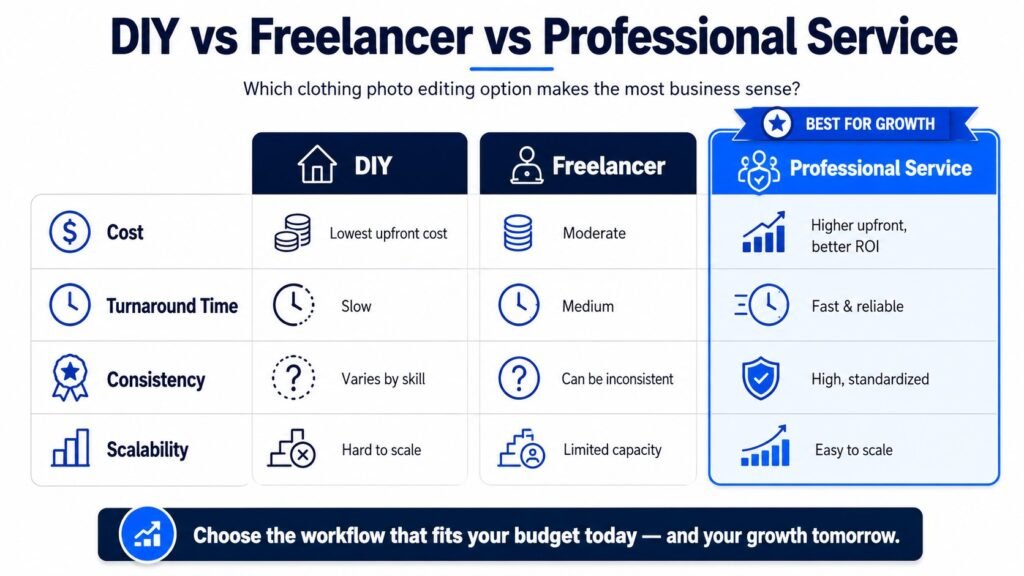
Every clothing brand hits this fork in the road eventually. Three paths, three very different tradeoffs.
DIY editing in Adobe Photoshop costs nothing upfront beyond software and time. But time is the real cost. A single ghost mannequin edit can take an experienced editor 15 to 20 minutes. Multiply that across 200 SKUs and you’ve lost a week of work hours you probably needed elsewhere.
Freelancers solve the time problem but introduce a consistency problem. Different freelancers, or even the same freelancer on different days, produce slightly different color grading and crop choices. Your catalog starts looking inconsistent, which subtly erodes trust even if no single photo looks bad.
A professional clothing product photo editing service solves both. Bulk image processing tools enforce consistency across hundreds of images, and dedicated teams handle volume without the bottleneck of a single freelancer’s calendar. The tradeoff is cost, but at scale, the per-image price usually beats paying a skilled employee’s hourly rate to do the same work manually.
How Photo Quality Affects Returns and Conversions
Here’s the part most articles skip: photo editing isn’t just a presentation upgrade. It’s a return-rate lever.
When a customer receives a garment that doesn’t match the photo, color especially, they return it. Not because they hate the product, but because the product they imagined never existed. Fashion product image enhancement closes that gap before the sale happens, not after the box arrives.
Accurate color correction prevents the most common version of this problem: a shirt that photographed teal but ships navy. Garment photo post-production that preserves real texture (the actual weave of a knit, the actual sheen of satin) sets expectations that match reality.
Brands that invest in accurate ecommerce clothing photography tend to see returns tied to “not as described” complaints drop. It’s not a guaranteed formula, but the logic holds: fewer surprises at the unboxing stage means fewer customers asking for a refund.
Estimating Your Editing Costs and Turnaround
Pricing varies more than people expect, and complexity is the main driver.
Basic background removal sits at the lower end, often $1 to $2 per image. Add ghost mannequin effects, detailed retouching, or heavy color correction, and per-image cost climbs toward $4 to $5. Bulk orders almost always qualify for volume discounts, so a 500-item catalog won’t cost five times what a 100-item catalog costs.
Turnaround follows a similar pattern. Standard background removal for under 100 images often comes back within 24 to 48 hours. Larger catalogs requiring ghost mannequin work or heavy retouching can take 5 to 7 business days. If you’re working against a launch date, ask about rush options upfront. Most professional clothing product photo editing service providers offer them, usually at a premium.
The honest answer to “how much will this cost me” depends entirely on your catalog size and how much correction each photo actually needs. Get a few sample images quoted before committing to a full batch.
Choosing the Right Photo Editing Partner
Not every provider is equal, and the cheapest quote isn’t always the best deal once you factor in revisions, turnaround delays, and inconsistent quality.
Look for three things. First, a sample edit before you commit a full catalog. Any legitimate professional clothing product photo editing service will run a free or low-cost test image so you can judge quality firsthand. Second, clear turnaround commitments in writing, not vague promises. Third, evidence they understand platform-specific requirements, since a provider unfamiliar with Amazon’s image policy can cost you a suppressed listing.
Image Editing Asia works with apparel brands on exactly this kind of volume, ghost mannequin editing, color correction, and platform-compliant formatting handled as one workflow rather than a patchwork of freelancers. For brands scaling past the point where DIY editing makes sense, that kind of consistency tends to matter more than shaving a few cents off the per-image rate.
Whatever provider you choose, the test is simple: does the final image look like the garment a customer would actually receive? If yes, the editing did its job.
FAQ
What is ghost mannequin photo editing?
Ghost mannequin editing removes the visible mannequin while preserving the garment’s natural shape, creating a worn, three-dimensional look. It combines an exterior shot and an interior shot into one seamless image. This technique is widely used because it shows fit and structure better than flat lay photography.
How much does professional clothing photo editing cost?
Pricing typically ranges from $1 to $5 per image depending on complexity. Basic background removal sits at the lower end, while ghost mannequin work and detailed retouching push costs higher. Bulk orders usually come with discounted per-image rates.
Why does clothing photo editing reduce product returns?
Accurate editing shows true color, texture, and fit, reducing the gap between expectation and reality. Poor editing creates mismatches that lead to “not as described” returns. Brands using professional editing services often see fewer complaints tied to this issue.
What’s the difference between background removal and ghost mannequin editing?
Background removal isolates the product from its backdrop, while ghost mannequin editing removes the mannequin entirely to create a worn, 3D look. Background removal is simpler and faster. Ghost mannequin editing requires merging multiple shots and is more technically involved.
How long does bulk clothing photo editing take?
Standard background removal for under 100 images typically takes 24 to 48 hours. Larger catalogs with ghost mannequin or heavy retouching can take 5 to 7 business days. Rush options are usually available for tighter deadlines.