Most product image editing runs somewhere between $0.30 and $2.50 per image depending on what you’re asking for. A simple background swap sits at the low end. A ghost mannequin edit with retouching sits at the higher end. Bulk orders bring the per-image rate down further. That’s the short answer. The longer answer, and the one that actually matters when you’re comparing vendors, is why the price moves around so much and what you should be checking before you send off your first batch.

If you sell on Amazon, Shopify, or any platform where product photos carry the weight of a sales pitch, you’ve probably already priced out a few editing services and noticed the numbers don’t line up. One vendor quotes $0.50 an image. Another wants $3. A third won’t give you a number until you send a sample. None of that is necessarily a red flag. It just means the pricing model varies more than most buyers expect, and knowing what’s driving the number helps you tell a fair price from an inflated one.

Image Editing Asia Free Trial: https://imageeditingasia.com/free-trial/

Advantage: 

  • Free Sign in/Sign up.
  • Free Trail for 3 images (1st time).
  • Files upload and download via website.
  • Official invoice up to date.
  • Online payment (daily/weekly/monthly).
  • Summary of work and payment (paid/unpaid) history at a glance.
  • Instant reply via website, Skype or any other social media.
  • Unlimited Revision.

What Determines the Price of Product Image Editing

Three things move the needle on price: the complexity of the technique, the volume you’re ordering, and how fast you need it back.

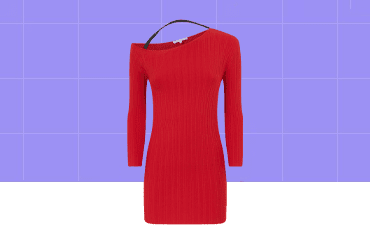
Complexity is the biggest factor. A basic background removal, where the editor cuts the product out and drops it onto a plain white or transparent background, is one of the more straightforward edits in the catalog. It’s why it’s usually the cheapest line item on any price list. Compare that to a ghost mannequin effect, where the editor has to remove the mannequin from inside a garment while keeping the collar, sleeves, and interior details looking natural. That takes real manual work, layer by layer, and the price reflects it.

Retouching sits somewhere in between depending on how much correction is needed. Fixing lint, dust, or a stray wrinkle on a t-shirt is quick work. Smoothing skin tones and correcting color across a full fashion shoot takes considerably longer, and pricing usually splits basic retouching from high-end retouching for that reason.

Volume works the way you’d expect. Editors and agencies price per-image rates lower as order size grows, because batch processing a thousand similar product shots is more efficient than editing one image at a time. If you’re only sending five photos, don’t expect the same rate someone gets on a 2,000-image catalog order.

Turnaround matters less in this industry than in some others, since most established vendors already run on a 24-hour standard cycle. Where it does affect price is rush requests, same-day delivery, or projects that need to skip the queue.

Shadow types for handbag presentation

Typical Price Ranges by Service Type

Here’s a general breakdown of what different services tend to cost, based on published rates in the industry.

ServiceTypical Starting PriceWhat Drives the Cost Up
Background removal$0.40–$0.50/imageComplex edges (hair, fur, jewelry chains), transparent or reflective surfaces
Clipping path$0.29–$0.30/imageMultiple clipping paths on one image, intricate product shapes
Shadow creation (drop, natural, or reflection shadow)$0.20–$0.30/imageReflection shadows tend to cost more than a simple drop shadow
Ghost mannequin / invisible mannequin$0.50–$0.60/imageNeck joint work, symmetrical garment matching, seam realism
Basic skin or product retouchingAround $1.00/imageVolume of blemishes, wrinkles, or imperfections to fix
High-end retouching$2.50+/imageFull color grading, detailed skin work, fashion-level polish
Image maskingAround $0.30/imageSoft or semi-transparent edges like hair, lace, or smoke

Take these as a starting-price reference rather than a fixed quote. Actual rates shift with the specifics of your images, and any vendor worth using will confirm final pricing after seeing a sample.

One thing worth understanding: background removal is technically the entry point for most other edits. You can’t add a shadow or place a product on a new background without first separating it from the original one. That’s why background removal shows up as either its own line item or bundled quietly into the price of everything else. When you’re comparing quotes, check whether background removal is already included in a bundled rate or billed as a separate step, because that changes what looks like the cheaper option on paper.

Per-Image vs. Bulk Tier Pricing: Which Makes Sense for You

Most vendors offer two pricing structures, and picking the wrong one for your order size is one of the more common ways people overpay.

Per-service pricing charges a flat rate for a specific edit type, regardless of how many images you’re sending. This works well if you need a small, mixed batch, say twenty images that each need a different combination of background removal, a shadow, and some cropping.

Bulk tier pricing groups images by volume and drops the per-image rate as the count goes up. As an example of how this typically works, Image Editing Asia’s published tiers run like this: a Basic plan covering 1 to 500 images at $0.50 per image, and a Medium plan covering 500 to 1,000 images at $0.45 per image, both including Amazon Standard Image formatting, custom background color, color correction, cropping, and multiple file format delivery, with a 24-hour turnaround. Orders above 1,000 images move to a custom quote, since at that scale the mix of services and file handling tends to be specific enough that a flat per-image number doesn’t fit well.

If your order sits under 500 images, a basic bulk tier is usually the simplest option. If you’re regularly sending large catalogs, a custom quote almost always beats paying per-service rates one image at a time, since the vendor can plan the batch more efficiently and pass some of that savings back to you.

What’s Usually Included (and What’s an Add-On)

This is where a lot of the price confusion actually comes from. Two vendors can both say “$0.50 per image” and mean two different scopes of work.

A typical base package (using the Basic tier structure above as a reference point) usually includes:

  • Background removal or standardization to a required format (like Amazon’s pure white background requirement)
  • Custom background color if requested
  • Basic color correction
  • Custom cropping and margin adjustment
  • Delivery in multiple file formats

Common add-ons, billed on top of the base rate, typically include:

  • Clipping path — often an extra $0.29–$0.30 per image if not already bundled
  • Skin or product retouching — ranges from around $1.00 for basic work up to $2.50+ for high-end retouching
  • Shadow effects — natural shadow is sometimes included, while reflection shadow often carries a small surcharge, commonly around $0.30
  • Ghost mannequin — usually a flat add-on, often around $0.50 per image, since it requires two source photos and manual joining work
  • Layer masking — priced separately from basic background removal because of the extra precision required around fine edges

Before you commit to a quote, ask specifically what’s bundled into the base price and what triggers an extra charge. A vendor that’s upfront about this from the start is generally a good sign. One that’s vague about it, less so.

Before and after product editing

Turnaround Time and How It Affects Cost

Standard turnaround across most professional image editing services runs about 24 hours, regardless of order size, as long as the batch fits within normal capacity. That’s become close to an industry baseline rather than a premium feature.

Where cost changes is with rush requests: same-day delivery, priority queue placement, or projects with a hard deadline that falls outside the standard cycle. Not every vendor offers a rush option, and the ones that do will usually charge more for it. If your deadline is flexible, sticking to standard turnaround keeps your cost predictable.

Questions to Ask Before You Commit to a Vendor

Price is only half the decision. Before sending a full batch, confirm:

  • What file formats do they accept and deliver? JPEG, PNG, and PSD are common. TIFF less so. Make sure their output matches what your platform requires.
  • What’s their revision policy? Some vendors include unlimited revisions until you’re satisfied. Others cap it or charge extra past a certain point.
  • Is there a minimum order size? Some bulk tiers start at a specific volume, so a five-image order might not qualify for the lowest rate.
  • How do they handle batch consistency? If you’re sending 500 product shots, you want every white background to look identical, not fifty subtly different shades of white.
  • Can you test with a small batch first? A free trial or sample order is the most reliable way to judge quality before committing your full catalog. Most reputable vendors offer one.
  • What’s their data handling policy? If your product photos are proprietary or unreleased, ask how files are stored and whether they’re deleted after delivery.

Common Pricing Mistakes to Avoid

Chasing the lowest per-image rate without checking scope. A $0.30 quote that doesn’t include clipping path or shadow work can end up costing more than a $0.50 quote that includes both, once you add the pieces you actually need.

Skipping the trial batch. It’s tempting to send your full catalog straight away, especially under a deadline. But a small test batch catches formatting issues, color mismatches, or inconsistent cropping before they show up across a thousand images instead of five.

Assuming all “background removal” is the same output. A clean clipping path on a simple product (a book, a box) is a different job than isolating a product with fine edges like hair, fur, or mesh fabric. If a vendor’s rate seems too low for the complexity of your catalog, it’s worth asking how they’d handle your trickiest images specifically, not just the easy ones.

Not accounting for order size when comparing quotes. A per-service rate designed for small orders will look expensive next to a bulk tier rate meant for 500+ images. Compare quotes based on your actual order size, not a generic advertised number.

FAQ

Is there a minimum order for bulk pricing? It depends on the vendor. Bulk tiers are often structured by volume brackets, such as 1–500 images at one rate and 500–1,000 at a slightly lower rate. If you’re only sending a handful of images, ask whether per-service pricing or a small-batch rate applies instead.

How fast is turnaround for a typical order? 24 hours is the standard turnaround offered by most professional editing services, regardless of order size, as long as it’s within normal processing capacity.

Does background removal include a shadow? Not usually. Background removal and shadow creation are typically priced and delivered as separate steps, even though they’re often ordered together. Confirm with your vendor whether a shadow is bundled or billed as an add-on.

Why does ghost mannequin cost more than basic background removal? Ghost mannequin editing requires two source photos (one with the mannequin, one showing the area it obscured) and manual work to join them into a seamless, garment-only image. That extra labor is why it’s priced as an add-on rather than folded into a base rate.

Can I order a mix of services in one batch? Yes, most vendors handle mixed batches where some images need only background removal and others need retouching or ghost mannequin work. Just confirm how mixed orders are priced, since it may fall outside a flat bulk tier rate.


If you want to see how this pricing plays out on your own product photos before committing to a full batch, Image Editing Asia’s free trial is a low-risk way to test quality and turnaround firsthand. For a closer look at bulk tier pricing and what’s included at each level, the pricing page breaks down the current plans. And if your catalog needs a specific technique covered in more depth, like ghost mannequin editing, clipping path work, or shadow creation, those service pages go into the specifics of each.

Image Editing Asia Free Trial: https://imageeditingasia.com/free-trial/

Advantage: 

  • Free Sign in/Sign up.
  • Free Trail for 3 images (1st time).
  • Files upload and download via website.
  • Official invoice up to date.
  • Online payment (daily/weekly/monthly).
  • Summary of work and payment (paid/unpaid) history at a glance.
  • Instant reply via website, Skype or any other social media.
  • Unlimited Revision.