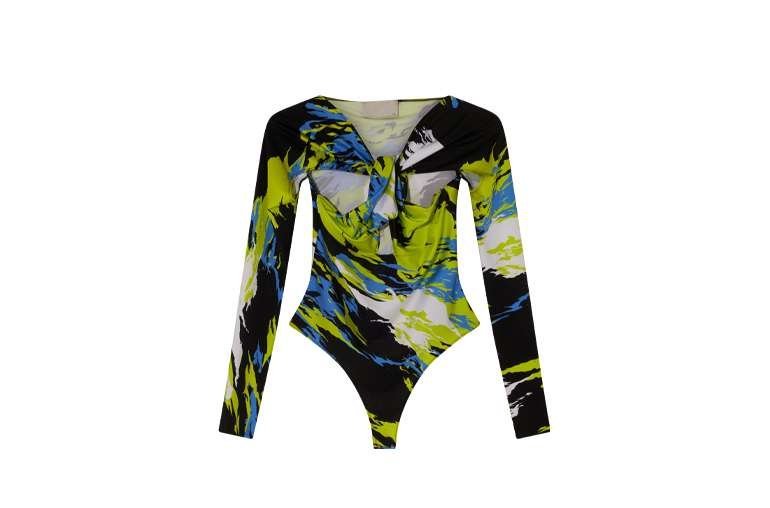
Professional ghost mannequin images are a crucial element for any e-commerce store that sells clothing. They show garments with natural shape, fit, and drape, without a model, and they keep a whole catalog consistent. Good results come from planning before the shoot, careful mannequin work during it, and precise editing after it.
Pre-production planning
Understanding your target audience
Know who buys the garment and what they need to see: fit, length, fabric, and detail. A technical jacket needs close-ups of zips and seams, while a dress needs drape and movement cues from shape alone.
Selecting the right apparel
Shoot garments in clean, steamed condition, with all tags and packaging removed from view. Group similar items together so lighting and framing stay constant across the batch.
Preparing the clothing items
Steam or press each garment, check buttons, zips, and seams, and remove lint and loose threads. Small prep here saves heavy retouching later.
Setting up the photography studio
Equipment needed for ghost mannequin photography
You need a suitable mannequin with removable parts for neckline and sleeve views, a stable tripod, even studio lighting, and a clean background. A fixed camera position and fixed light positions are essential for consistency.
Lighting and backdrop tips
Use soft, even light from both sides to avoid harsh shadows and hot spots. Keep the background clean and consistent, and keep light positions marked so every garment in a batch is lit the same way.
The photography process
Positioning the mannequin for best results
Center the mannequin in frame with balanced margins, and keep the same framing for front and back views. Capture inner views for the neckline and other openings, since editing needs them for the neck joint.
Camera settings and techniques
Shoot in manual mode with fixed exposure, white balance, and focus, so color and brightness do not drift between garments. Shoot at high resolution to allow clean editing and zoom on listings.
Tips for capturing consistent shots
Use a shot list per garment: front, back, inner neckline, and detail views. Check each shot on screen before moving on, and keep file naming consistent by product and view.
Mannequin and product preparation
Dressing the mannequin properly
Dress the mannequin carefully so the garment sits naturally, with no pulling, twisting, or bunching. Use clips and pins out of camera view to hold shape where needed, and check symmetry from the camera position, not just from the side.
FAQ
What is the hardest part of ghost mannequin photography?
Capturing clean inner views for the neck joint, since editing depends on them to make the garment look hollow and wearable.
Why do my ghost mannequin shots look inconsistent?
Usually light or camera position moved between garments. Fix positions, use manual settings, and follow one shot list.
Can flat lay replace ghost mannequin shots?
Flat lay suits simple items and styled stories, but it cannot show fit and drape the way ghost mannequin does.
Related services