If your Shopify product photos look inconsistent or a little rough around the edges, your customers notice before they read a single word of your description. Mismatched backgrounds, odd lighting, and shadows in the wrong places quietly chip away at trust, and shoppers who don’t trust your photos rarely trust your “Add to Cart” button either.
The tricky part is knowing which editing tasks actually move the needle and how to pick a service that won’t waste your time or your budget. This guide breaks down exactly what a Shopify product photo editing service does, what to expect from the process, and how to choose a provider that fits your store.
Image Editing Asia Free Trial: https://imageeditingasia.com/free-trial/
What Does a Shopify Product Photo Editing Service Actually Do?
A Shopify product photo editing service takes your raw product photos and turns them into clean, consistent, store-ready images. That usually means removing or replacing backgrounds, correcting color and lighting, retouching small imperfections, and resizing everything to fit Shopify’s display requirements.
Think of it as the bridge between “photo taken on a camera or phone” and “photo that looks like it belongs on a professional online store.” You bring the raw shots, the editor handles the technical polish.
Most services work from a set of brand guidelines you provide once (background style, color tone, cropping rules) and then apply that same treatment across your entire catalog. This is what gives a Shopify store that clean, unified look you see on bigger e-commerce sites.
Why Product Photo Quality Affects Shopify Store Performance
Shoppers can’t touch or try your products before buying, so your photos are doing the job your in-store experience would normally do. When images are inconsistent, blurry, or poorly lit, it raises a small but real doubt in the buyer’s mind: does this seller actually know what they’re doing?
That doubt adds up. A product page with sharp, well-lit, consistently styled photos signals professionalism and care, even if nothing else on the page changes. It’s one of the few visual trust signals a Shopify store has full control over, which is exactly why so many growing brands treat photo editing as a real investment rather than an afterthought.
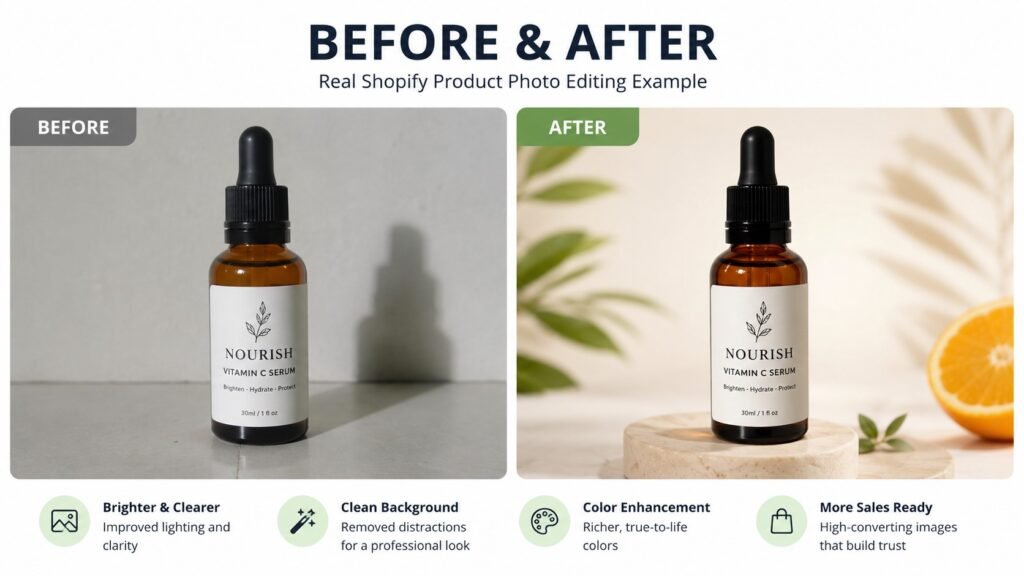
Image Editing Asia Free Trial: https://imageeditingasia.com/free-trial/
Shopify Image Requirements You Should Know
Before you send photos for editing, it helps to know what Shopify actually expects. Getting this right from the start saves a round of revisions later.
Recommended Image Dimensions and File Types
Shopify recommends square images at 2048 x 2048 pixels for most product photos, saved as JPG, PNG, or WEBP. Square formatting keeps your product grid looking even, which matters more than people expect once you have dozens of products listed side by side. Always check Shopify’s current help documentation before finalizing specs, since platform recommendations do get updated over time.
Image Compression and Page Load Speed
Large, uncompressed images slow down your store, and slow stores lose sales. A good editing service will compress files to balance sharpness with load speed, so your product pages stay quick on both desktop and mobile. This is a small detail that’s easy to overlook but has a direct effect on bounce rate.
Types of Product Photo Editing Services
Not every product needs the same kind of editing. Here’s what typically falls under “product photo editing” for a Shopify store.
Background Removal and Replacement
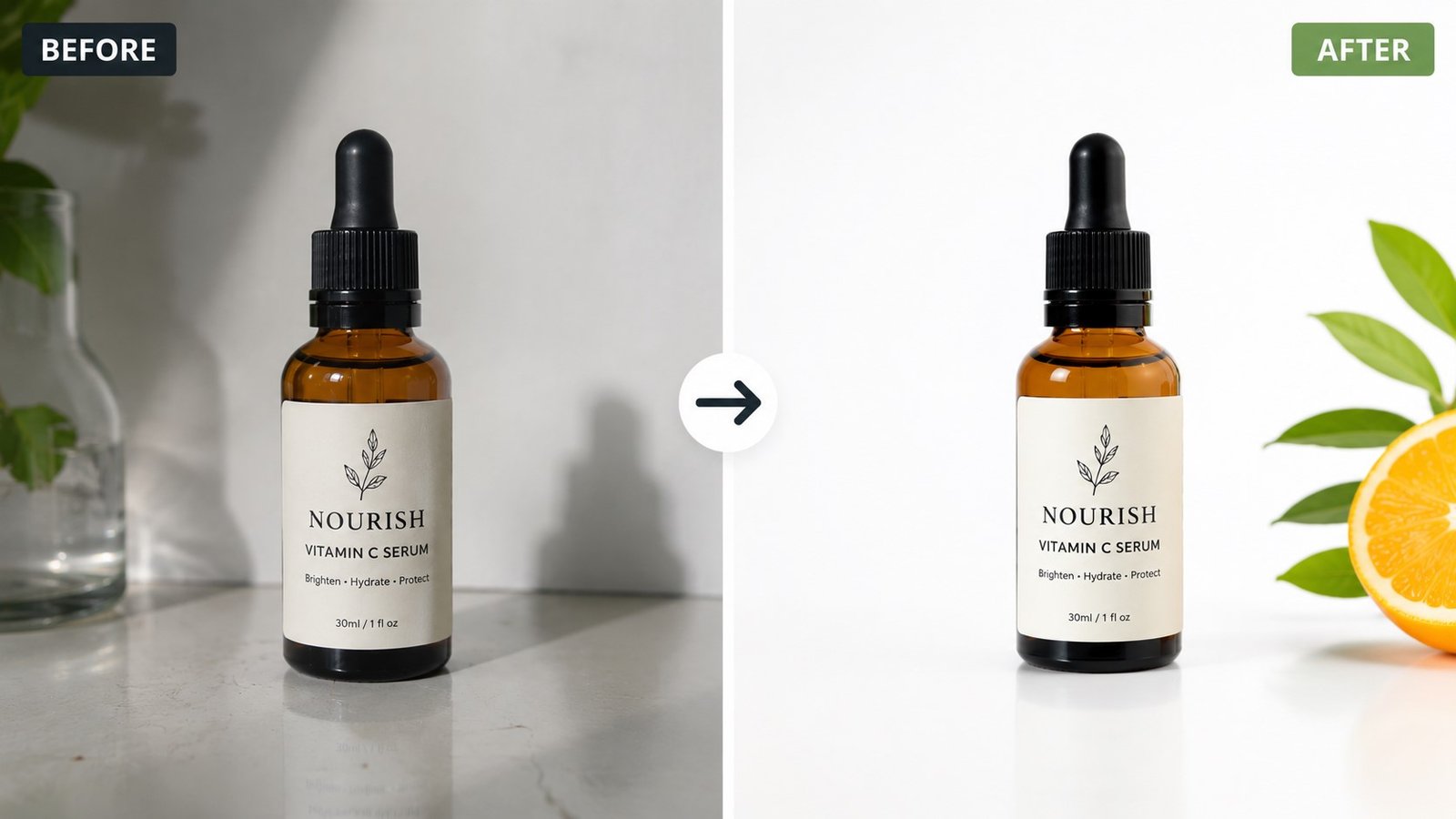
This is the most common request. The editor isolates the product and either drops in a clean white background (Shopify’s de facto standard for catalog consistency) or swaps in a lifestyle or branded backdrop for marketing use.
Background Removal Service: https://imageeditingasia.com/background-removal-services/
Color Correction and White Balance
Cameras and lighting conditions rarely capture color perfectly. Color correction adjusts the image so the product’s actual color, the one a customer will see when it arrives, matches what’s shown on screen. This step matters a lot for clothing, cosmetics, and home goods, where color mismatches lead directly to returns.
Color Correction & Recolor Editing Service: https://imageeditingasia.com/color-correction-service/
Retouching and Blemish Removal
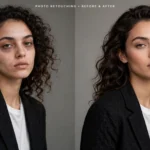
Dust, scratches, stray threads, fingerprints, small dents. Retouching cleans these up without making the product look artificial or misrepresented. The goal is accuracy, not fantasy.
Image Retouching Service: https://imageeditingasia.com/image-retouching-service/
Ghost Mannequin and Apparel Editing
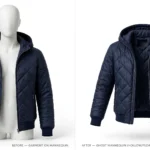
For clothing brands, ghost mannequin editing removes the mannequin or model from the photo while keeping the garment’s natural shape, giving a 3D, “invisible man” effect. It’s a standard technique in apparel e-commerce because it shows fit and structure without distracting from the product.
Ghost Mannequin Service: https://imageeditingasia.com/ghost-mannequin-service/
DIY Editing vs. Hiring a Professional Service
Some store owners handle basic edits themselves, especially early on. Others outsource from day one. Here’s how the two approaches compare.
| Factor | DIY Editing | Professional Service |
|---|---|---|
| Time investment | High, especially at scale | Low, you send raw files and review results |
| Consistency across catalog | Difficult to maintain manually | Built into the workflow |
| Skill and software required | Photoshop or similar, with a learning curve | Handled by trained editors |
| Scalability for bulk catalogs | Slows down significantly | Designed for batch processing |
| Cost | Free, but costs your time | Ongoing service fee |
Neither option is automatically “right.” If you have ten products and some Photoshop experience, DIY might work fine. If you’re managing fifty or more SKUs, or your time is better spent on marketing and operations, outsourcing usually pays for itself.
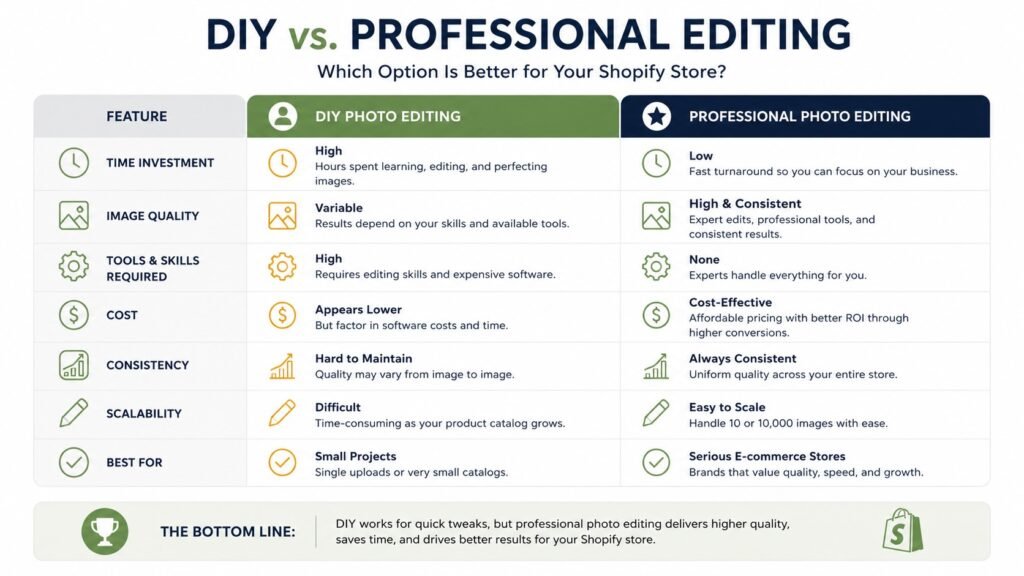
Image Editing Asia Free Trial: https://imageeditingasia.com/free-trial/
How to Choose the Right Photo Editing Service for Your Shopify Store
Not all photo editing services are equal, and a bad fit can cost you more time than it saves. Run through this checklist before committing to one.
- Review their portfolio. Look for examples that match your product category, since apparel, jewelry, and electronics all require different editing skills.
- Ask about turnaround time. Get a clear answer, not a vague estimate, especially if you have launch deadlines.
- Check their revision policy. A service should allow reasonable revisions if the first round doesn’t match your brand guidelines.
- Understand bulk pricing. If you have a large catalog, ask how pricing scales and whether there are batch discounts.
- Confirm data security practices. Your product images are business assets, so ask how files are stored and who has access to them.
- Test communication before committing. Send a small batch first. How they handle questions and feedback on a trial run tells you a lot about the full engagement.
Common Mistakes Store Owners Make With Product Photos
A few patterns show up again and again on Shopify stores that haven’t invested in proper photo editing:
- Using inconsistent backgrounds across the same product category, which makes the store feel disorganized
- Over-editing photos to the point where the product looks different from what actually ships
- Ignoring Shopify’s recommended image size and ending up with stretched or pixelated photos
- Skipping a mobile preview check, even though most shoppers browse on their phones
- Uploading oversized files that slow down page load without noticeable quality gains
Avoiding these is often less about hiring the “best” editor and more about having a clear, consistent process.
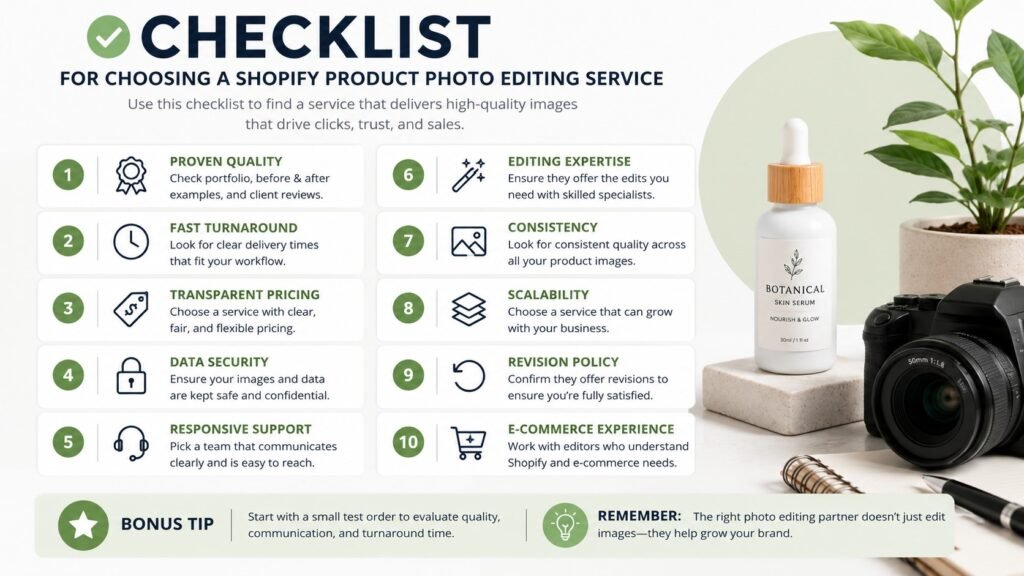
Image Editing Asia Free Trial: https://imageeditingasia.com/free-trial/
Practical Tips Before Sending Photos for Editing
A good editing service can fix a lot, but they can’t fix what isn’t in the original photo. A few habits make a real difference before you even hit send:
- Shoot in consistent, even lighting to reduce the amount of color correction needed later
- Keep your raw files at the highest resolution your camera or phone allows
- Photograph products from the same angle and distance for a uniform starting point
- Organize files by product name or SKU before sending a batch, so nothing gets mixed up
How Image Editing Asia Can Help
Image Editing Asia works with Shopify store owners who want their product catalog to look consistent, professional, and ready to convert without spending hours in Photoshop themselves. Whether you need background removal for a few hundred SKUs, color correction for an apparel line, or ghost mannequin editing for a clothing catalog, the process is built around the checklist above: clear communication, consistent results, and a workflow that scales as your catalog grows.
If you’re not sure where to start, send over a small batch of raw photos and see how the results compare to your current listings.
Key Takeaways
- A Shopify product photo editing service typically covers background removal, color correction, retouching, and resizing to platform specs
- Shopify recommends square images at 2048 x 2048 pixels in JPG, PNG, or WEBP format
- DIY editing works for small catalogs, but outsourcing usually makes more sense once you’re managing dozens of SKUs
- Choose a service based on portfolio fit, turnaround time, revision policy, and a trial batch, not just price
- Editing can polish your photos, but starting with well-lit, high-resolution raw images always gives better results
Frequently Asked Questions
What is a Shopify product photo editing service? It’s a service that edits raw product photos into clean, store-ready images for your Shopify catalog. This typically includes background removal, color correction, retouching, and resizing to match Shopify’s recommended image specs, so your entire catalog looks consistent.
How much does product photo editing typically cost? Pricing varies depending on the complexity of the edit, the volume of images, and the provider. Simple background removal generally costs less than detailed retouching or ghost mannequin work. It’s best to request a quote based on your specific catalog and editing needs.
Can I edit Shopify product photos myself? Yes, especially for small catalogs, using tools like Photoshop or Canva. The trade-off is time and consistency, since manually editing dozens or hundreds of photos to the same standard gets difficult to maintain as your catalog grows.
What image size does Shopify recommend for product photos? Shopify recommends square images at 2048 x 2048 pixels, saved as JPG, PNG, or WEBP. Square formatting keeps product grids looking even across your store. Always check Shopify’s current documentation, since specs can be updated.
How long does professional photo editing usually take? Turnaround time depends on the provider and the size of your batch, ranging from a day or two for small orders to a week or more for large catalogs. Always confirm timelines upfront, especially if you’re working toward a launch date.
Conclusion
Clean, consistent product photos aren’t a small detail on a Shopify store, they’re often the first thing that decides whether a shopper trusts you enough to keep browsing. Whether you handle editing yourself or bring in a professional service, the goal is the same: photos that accurately represent your products and look like they belong on a serious, well-run store.
If you’d rather hand that work off, Image Editing Asia can review a sample batch of your product photos and show you what consistent, professional editing looks like for your catalog. Request a quote to get started.
Image Editing Asia Free Trial: https://imageeditingasia.com/free-trial/