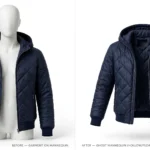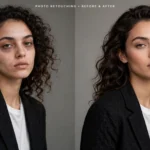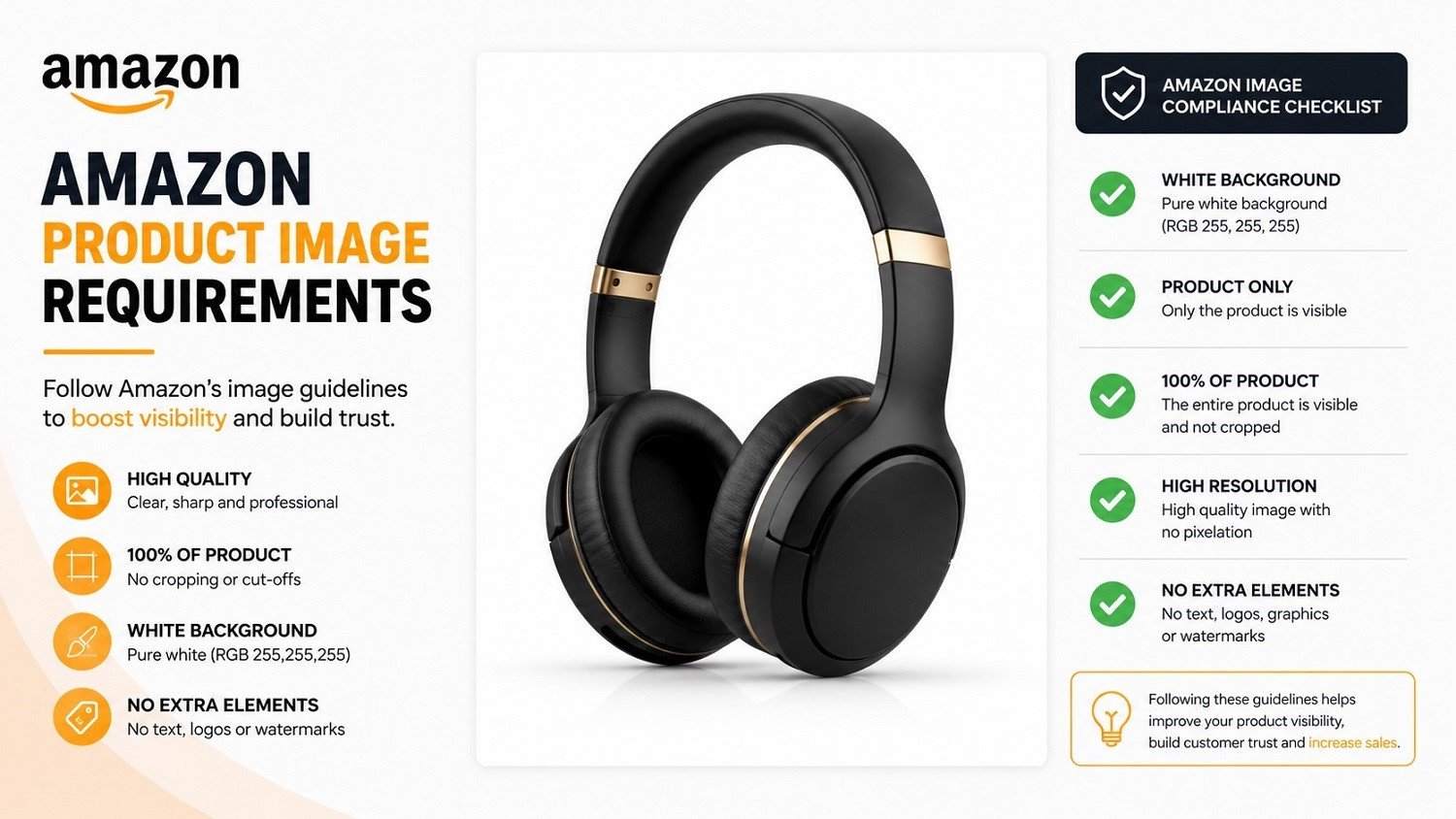
Amazon gives sellers very little room for error when it comes to product images. The rules are specific, the enforcement is automated, and the penalty for getting it wrong is a suppressed listing — meaning your product simply disappears from search results until the issue is fixed.
Most sellers only find this out after the fact. They upload what looks like a clean, professional photo, and then discover days later that the listing has been pulled. By then, they’ve already lost traffic and sales they can’t recover.
This article walks through exactly what Amazon requires for product images, which editing techniques bring photos into compliance, and the most common mistakes to avoid before they cost you visibility and revenue.
Image Editing Asia Free Trial: https://imageeditingasia.com/free-trial/
Why Amazon’s Image Requirements Matter More Than Most Sellers Realize
When a listing is suppressed due to image issues, it doesn’t just drop in ranking — it disappears entirely. No impressions, no clicks, no sales.
Beyond suppression, non-compliant images affect conversion even when a listing stays active. Buyers make split-second decisions based on what they see first. A dark background, a cluttered main image, or a low-resolution photo can push a potential customer straight to a competitor.
Amazon’s requirements exist for a reason: consistency across millions of listings makes the buying experience predictable and trustworthy. Sellers who meet those standards benefit from that trust. Sellers who don’t pay for it in lost revenue.
Amazon’s Official Image Requirements at a Glance
Before any editing work begins, you need to know what you’re editing toward. Here are the core technical requirements Amazon enforces:
| Requirement | Specification |
|---|---|
| Minimum image size | 1,000 px on the longest side (for zoom activation) |
| Recommended size | 2,000 px or larger on the longest side |
| Maximum file size | 10 MB |
| Accepted file formats | JPEG (.jpg), TIFF (.tif), PNG (.png), GIF (.gif) |
| Color mode | sRGB or CMYK |
| Background (main image) | Pure white — RGB 255, 255, 255 |
| Product fill | Product must occupy at least 85% of the image frame |
These apply across all product categories, though some categories have additional style guidelines. Always check the relevant Amazon Style Guide for your category alongside the general requirements.
Main Image Rules
The main image — the one buyers see in search results — has the strictest requirements of all.
The background must be pure white. Not off-white, not light grey, not “close enough to white.” Amazon uses automated tools to check this, and backgrounds that don’t meet the RGB 255,255,255 standard are flagged. This is one of the most common reasons listings get suppressed, and it happens more often than sellers expect — because a background that looks white to the eye may not be white enough for Amazon’s system.
Beyond the background:
- The product must fill at least 85% of the image frame
- No text, graphics, or watermarks of any kind
- No props, mannequins (in most categories), or additional products unless they’re included in the purchase
- No borders or colored backgrounds
- The image must show the actual product being sold — not a mock-up or illustration
The main image is also what appears as a thumbnail in search results, so it does double duty: it has to pass Amazon’s compliance check and convince a buyer to click.
Secondary Image Guidelines
Secondary images (positions 2 through 9 in your listing) have more flexibility. Here you can show:
- Lifestyle shots with the product in use
- Infographics highlighting key features
- Dimension and sizing charts
- Close-up detail shots
- Packaging shots, if relevant to the buying decision
- Text overlays explaining features or compatibility
The same general standards still apply — no offensive content, no false claims, no Amazon branding — but you’re not restricted to a white background. This is where well-edited lifestyle and detail imagery can do real selling work.
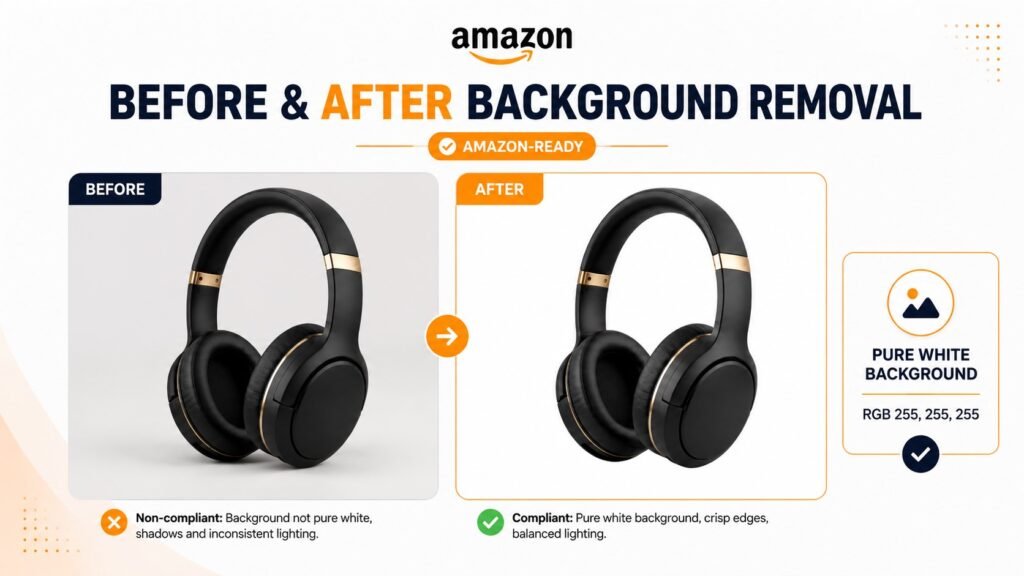
Image Editing Asia Free Trial: https://imageeditingasia.com/free-trial/
Common Image Editing Mistakes That Get Amazon Listings Suppressed
Understanding what Amazon requires is one thing. Knowing where sellers go wrong is equally useful. These are the most frequent image issues that lead to suppression or poor listing performance:
Off-white or grey backgrounds on the main image. Studio photography rarely produces a background that’s truly RGB 255,255,255. Most white backgrounds in photos render slightly warm, cool, or grey when captured. If it’s not pure white in the file, it won’t pass Amazon’s check.
Product not filling 85% of the frame. If there’s too much empty space around the product, the listing fails the fill requirement. This is easy to miss if you’re checking images on a small screen.
Visible watermarks or logos. Any branding, copyright watermark, or photographer logo overlaid on the image is a violation on the main image. Even subtle watermarks in a corner will flag the listing.
Low resolution that fails the zoom requirement. Amazon allows buyers to zoom into product images. For zoom to activate, the image needs to be at least 1,000 px on the longest side — and realistically, 2,000 px or more produces noticeably better results. Uploading small images disables zoom and reduces buyer confidence.
Multiple products shown when only one is listed. If your listing is for a single item, your main image should show only that item. Showing a set when you’re selling one unit misleads buyers and violates Amazon’s image policies.
Wrong color mode or file format. Less common but worth checking — some image editing software defaults to CMYK for print output, which can cause color rendering issues on screen. Amazon accepts both sRGB and CMYK, but sRGB is the safer choice for e-commerce.
How Professional Image Editing Ensures Amazon Compliance
Knowing the requirements is the first step. Editing images to meet them precisely is where the work actually happens.
Background Removal and Pure White Replacement
This is the most common and most critical edit for Amazon compliance. Removing the original background and replacing it with a true RGB 255,255,255 white requires more precision than most sellers expect.
The two main techniques are clipping path — where an editor manually traces the outline of the product using vector paths — and image masking, which uses layer-based selection tools for products with complex edges like fur, hair, or semi-transparent materials.
Photographing your product against a white background in a studio is a good starting point, but it’s rarely enough on its own. Lighting conditions, camera settings, and the product’s reflective properties all influence how a background renders in the final JPEG. Even professionally lit studio shots often need color correction to push the background to true white.
A common mistake is using the auto-background-removal features in consumer apps. These tools are useful for quick social media content but not reliable enough for Amazon compliance. Edges often look unnatural, and the resulting background may test as off-white even if it looks fine visually.
Image Resizing and Resolution Optimization
Amazon has minimum resolution requirements, but simply making an image larger doesn’t improve quality. Upscaling a small, low-resolution photo produces a blurry result that fails both quality and compliance checks.
Professional editing starts with the highest-quality source file available — ideally a RAW file from the original shoot — and resizes down to the correct output dimensions using proper resampling techniques. For Amazon, the standard output is typically 2,000 px on the longest side at 72 DPI in JPEG format, which balances file size and image quality.
If only a low-resolution file exists, a retoucher can apply sharpening and detail enhancement techniques, but the best solution is always to reshoot at the correct specifications.
Color Correction and Retouching
Accurate color matters for two reasons. First, buyers who receive a product that looks different from the listing image return it. Second, inconsistent colors across a product range look unprofessional and erode trust.
Color correction adjusts the white balance, saturation, and tone of the product so it accurately represents the real item. For products with multiple color variants, this also means maintaining consistency across all the images in the set so the differences between variants are clear and accurate.
Basic retouching — removing dust specks, minor scratches, or manufacturing marks from the product surface — is also standard practice. The goal is an accurate, clean representation of the product, not a misleading enhancement.
Cropping and Framing to the 85% Rule
Getting the product to fill 85% of the frame isn’t just about zooming in. If the crop is too tight, the product gets cut off. If the crop is too loose, the listing fails compliance.
Professional editors apply precise crop ratios based on the output canvas size, ensuring the product occupies the correct percentage of the frame with appropriate visual breathing room. For products with unusual shapes — very wide, very tall, or with protruding elements — this requires judgment about how to frame the product while meeting the fill requirement.
When to Edit Product Images Yourself vs. Hire a Professional
Not every seller needs to outsource image editing. The right choice depends on your catalog size, product type, and how much time and skill you have available.
DIY editing may work well if:
- You have working knowledge of Adobe Photoshop, Lightroom, or similar tools
- Your products are simple shapes on plain backgrounds
- Your catalog is small (under 20 SKUs)
- You have the time to do careful, precise work
Professional editing makes more sense if:
- You’re managing a large catalog with dozens or hundreds of SKUs
- Your products have complex shapes, transparent elements, or fine detail edges (jewelry, glassware, clothing, electronics)
- Previous images have already been suppressed or flagged
- You need consistent results across multiple product lines
- You’re launching a new listing and want images done correctly from the start
For sellers managing larger catalogs or dealing with recurring compliance issues, Image Editing Asia provides Amazon-specific image editing — including background removal, color correction, retouching, and bulk editing — built around current platform requirements. You can explore their services at imageeditingasia.com.
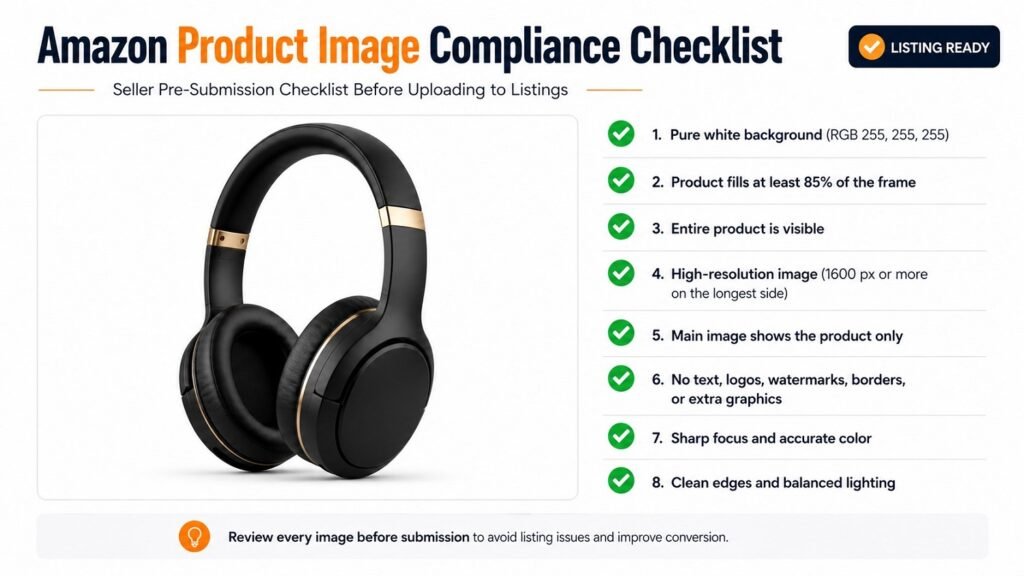
Image Editing Asia Free Trial: https://imageeditingasia.com/free-trial/
Pre-Submission Compliance Checklist
Before uploading any product image to Amazon, run through this checklist:
- Main image background is pure white — verify it’s RGB 255, 255, 255, not visually white
- Product fills at least 85% of the frame — check this at the actual upload dimensions, not on a small preview
- Image resolution is 2,000 px or more on the longest side
- File size is under 10 MB
- File format is JPEG, TIFF, PNG, or GIF
- Color mode is sRGB (preferred) or CMYK
- No text, graphics, or watermarks on the main image
- No props or additional products unless included in the sale
- No borders, colored frames, or decorative backgrounds on the main image
- Only the listed product is shown in the main image
- Secondary images are appropriate for the content (lifestyle, infographic, dimensions) without false claims
- All images are sharp with no visible blur, compression artifacts, or pixelation
Key Takeaways
- Amazon’s main image must have a pure white background (RGB 255,255,255) — near-white is not enough
- Products must fill at least 85% of the image frame or the listing may be suppressed
- Minimum image size for zoom activation is 1,000 px; 2,000 px or more is recommended
- Studio photography alone rarely produces images that pass Amazon’s automated checks without editing
- Professional image editing is particularly valuable for complex products, large catalogs, or any seller who has had listings suppressed before
Frequently Asked Questions
What background color is required for Amazon main product images?
Amazon requires a pure white background for main product images — specifically RGB 255, 255, 255. Backgrounds that appear white to the eye but don’t meet this exact value will be flagged by Amazon’s automated system. Professional background removal and replacement editing is the most reliable way to guarantee the correct value.
What image resolution does Amazon require for product listings?
Amazon requires a minimum of 1,000 px on the longest side to activate the zoom feature. A resolution of 2,000 px or more is recommended for the best buyer experience. Accepted formats include JPEG, TIFF, PNG, and GIF, with a maximum file size of 10 MB per image.
Why was my Amazon product image suppressed?
The most common causes are an off-white background on the main image, the product not filling 85% of the frame, a visible watermark or text overlay, a wrong file format, or low resolution. Amazon’s automated system checks these criteria, and any violation can trigger suppression without warning.
Can I edit my own Amazon product images?
Yes — if you have solid skills with tools like Adobe Photoshop or Lightroom and your products are straightforward. For complex products (transparent packaging, jewelry, clothing), large catalogs, or any situation where previous images have been suppressed, professional editing is more reliable and typically faster in the long run.
How many images can I upload per Amazon product listing?
Amazon allows up to nine images per listing — one main image and up to eight secondary images. Using all available slots is strongly recommended. Buyers who view more images convert at higher rates, and secondary images give you space to show features, dimensions, lifestyle context, and packaging without violating the strict main image rules.
Conclusion
Amazon’s product image requirements aren’t flexible guidelines — they’re enforced standards with real consequences. Getting them right means understanding exactly what Amazon checks for, using editing techniques that produce compliant results, and verifying your work before you upload.
The main image white background, the 85% fill rule, and the resolution requirements are where most sellers run into trouble. Each one is solvable with the right editing approach.
If your product images need to meet Amazon’s current standards or if you’re dealing with suppressed listings you need to fix quickly — Image Editing Asia offers professional Amazon image editing for sellers of all sizes, from single SKUs to bulk catalog projects. Visit imageeditingasia.com to request a free sample edit or get a quote for your catalog.
Image Editing Asia Free Trial: https://imageeditingasia.com/free-trial/